Spelling Wheel
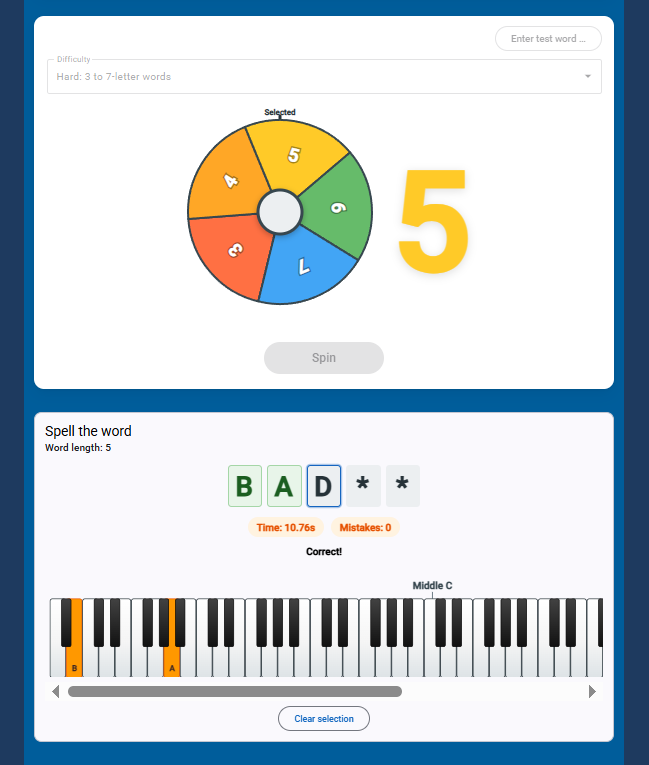
A quick, hands-on way to practise spelling with the musical alphabet — the letters A through G. Spin the wheel, get a word length, then spell the word by tapping the right keys on an on-screen piano. It’s simple to explain, satisfying to play, and works just as well on a laptop as on a tablet or classroom whiteboard.
How it works#
- See the word — letters appear as you go (or as notes on the treble stave, if you prefer).
- Play the answer — click the piano keys in order to spell each letter.
- Beat your time — when you finish, you see how long it took and how many mistakes you made.
Words are built only from A, B, C, D, E, F, and G — so every answer is about where on the keyboard each letter lives, not random vocabulary.
Select the keys ascending (left-to-right) the keyboard.
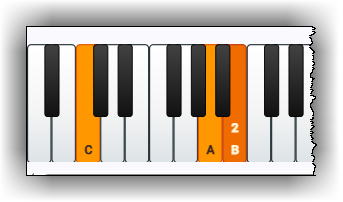
There’s a twist: you can’t just mash the same key repeatedly. For most letters you need to move up the keyboard although repeated letters (like the two Bs in CABBAGE) can be a double selection on the same key.
Works in two modes, “Solo” or “Classroom”
Solo mode#
Practice at your own pace:
- Choose Easy, Medium, or Hard (shorter or longer words).
- Spin — the wheel picks how many letters your word will have (from 3 up to 7, depending on difficulty).
- Turn on staff notation if you want whole notes on a treble clef instead of letter tiles.
- Track your best scores per word on your device.
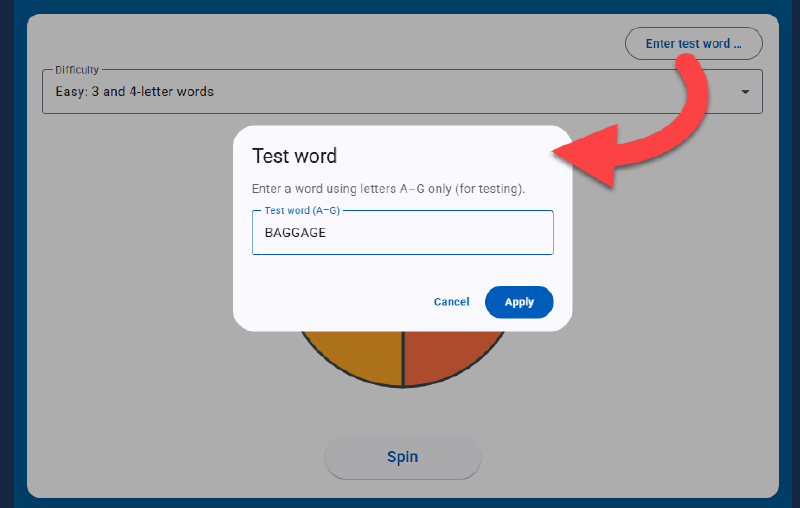
- If you want to try out a specific word, use the “Enter test word …” button.
Classroom mode#
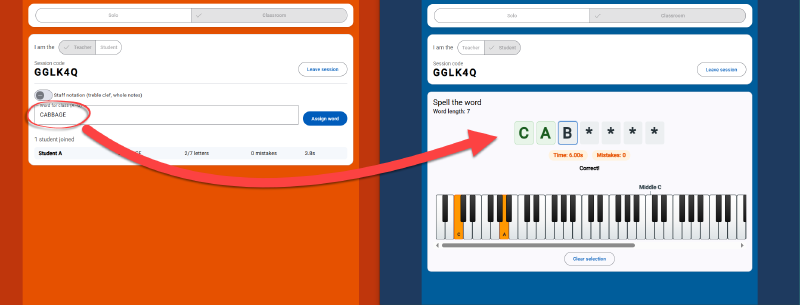
Built for teachers running a live lesson:
- Start a session and share a short join code.
- Students enter the code on their own devices and wait for you.
- You assign each word — everyone gets the same challenge at the same time.
- You choose whether they see letters or notation.
- A live progress view shows who’s playing, who’s finished, and how they’re getting on.
No installs, no logins for students — just open the page and join.
Who is it for?#
- Students building confidence with letter names and keyboard layout.
- Teachers who want a warm-up, a quick check, or a bit of friendly competition.
- Anyone who likes the idea of “spell the word” meets “find it on the piano.”
Try it#
Spelling Wheel runs in the browser — no download required.